Residential community management and resident services

EMLAK connects management, residents, gate teams, and services around unit information, requests, and payments, according to each community’s setup.

A request starts a shared workflow

A resident describes a maintenance problem, management reviews and assigns it, and work updates are recorded through to the outcome. Each person has a role, and the request remains a reference for follow-up.

EMLAK organizes that workflow. The responsible community team or service provider determines delivery, scheduling, and cost.

Explore maintenance requests
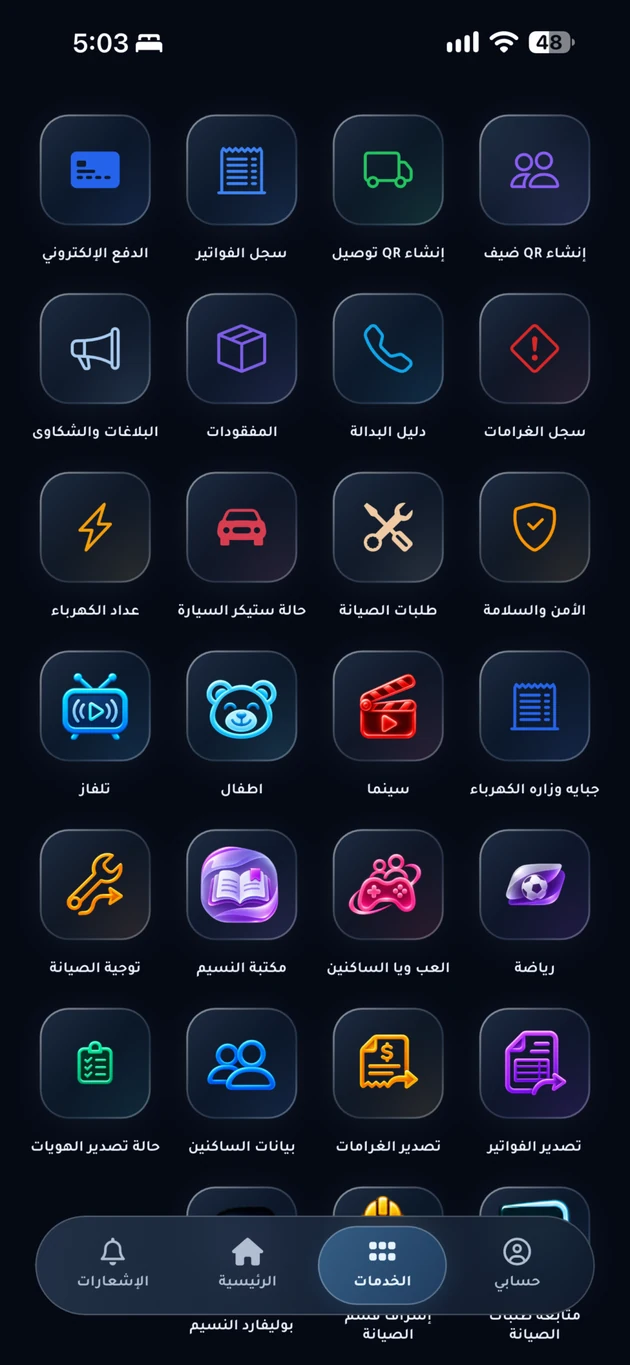
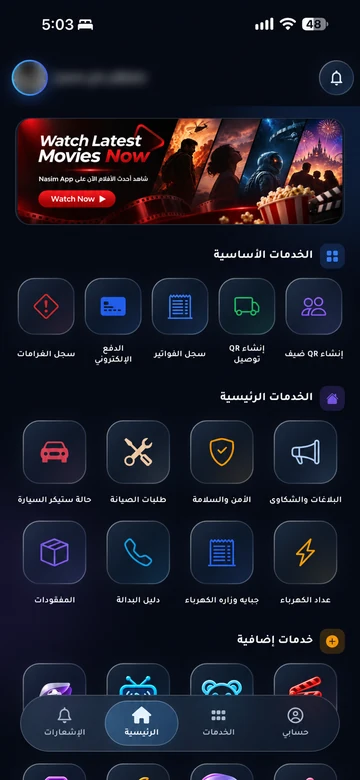
Current app-services overview; enabled services vary by community.
Current app-services overview; enabled services vary by community. Arabic interface shown.

Shared information, suited to each role

Different people need different tools. The experience starts with the task they need to complete.

Management knows what needs attention

Management brings resident requests, unit information, sales, and payments into connected tools. Work is organized by team responsibility and assigned permissions.
Explore management tools

Residents know where to start

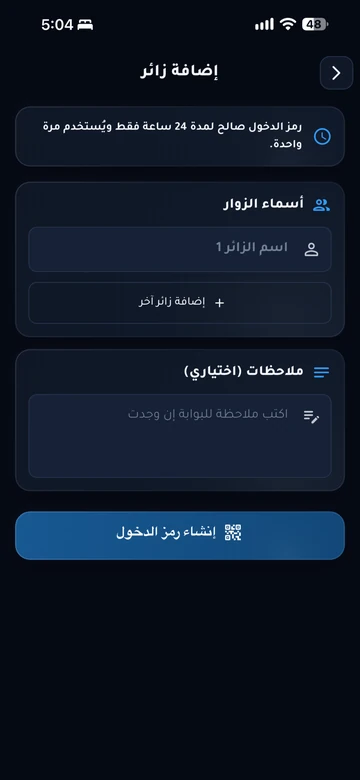
Residents use their community app to reach enabled services: a maintenance request, guest invitation, bill, or issue report. Follow-up stays connected to their account and unit.

Find your community app

Gate teams have the relevant details

Invitation and delivery information reaches the team responsible for access. Staff or a compatible system validate permissions under community procedures.

Explore gate services

Units and residents connect the services

Resident identity is connected to the unit, alongside invitations, requests, and payments for enabled services. Management determines usage, verification, and access permissions.

Explore resident identity
EMLAK
DEMO
Resident identityAli Ahmed MohammedEMLAK Demo Community
Unit
C-204
Resident ID
DEMO-204
Account type
Resident
NFC / QRSynthetic data · Not an access credential
Physical cardDigital identityWallet

From existing operations to launch

Setup follows the project’s needs and equipment. Every service is not assumed to be available in every community.

  1. Understand the community’s operations

    Review units, teams, current services, and the request, payment, and access processes management wants to organize.

  2. Configure the agreed services

    Prepare data, permissions, and app identity, and review the requirements for meters, gates, payments, and other integrations.

  3. Launch with the community team

    Review key scenarios with staff and explain to residents how to access the app, available services, and support channels.

Gate, meter, payment, and internet services require compatibility, permissions, and operator checks before they are enabled.

Questions before you begin

Must every service launch together?
Management agrees the scope according to community needs and existing systems. A demonstration helps identify suitable workflows and the requirements for each.
Does EMLAK replace community management?
No. The platform organizes staff work and resident communication. Decisions, delivery, and operating procedures remain with the responsible teams and providers.
How do we know what can connect to our systems?
Mention existing systems such as meters, gates, and collection methods in your demo request. The team can review compatibility and integration scope before the solution is agreed.

Start with how your community works

Tell us about the project and the services you want to organize so we can make the discussion useful to your team.

Your community.
Your app.

An experience with your community’s identity, bringing together the services enabled for your account. Management coordinates resident accounts and available permissions.

Everyday services

Maintenance, reports and entertainment, according to your community’s services.

Payments and invoices

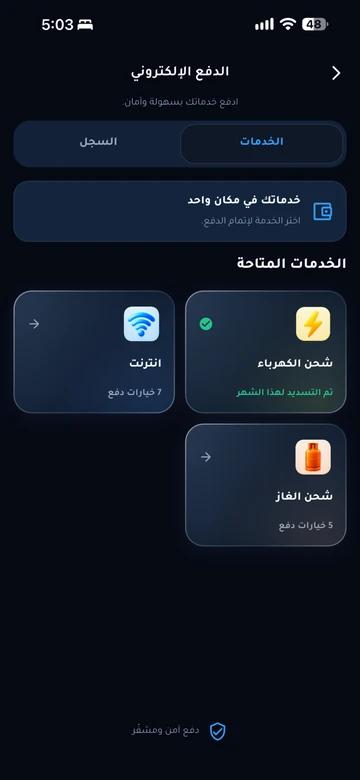
Service payments and digital invoice copies in your account.

Identity and access

Resident identity and QR invitations within management permissions.

Resident services take place inside the app. Contact community management if you need an account or help signing in.

Explore the resident experience

Let’s talk about
your community.

Learn about EMLAK or arrange a management demonstration. Resident services take place inside the app.

Include the service and community. Do not send passwords or card details.
Loading verification…

Enter the six English letters or digits shown, or listen to them in English. Valid for five minutes.

We use these details to respond to your request. Read the privacy policy.

Receipt is confirmed after submission.

You can also email us directly: info@emlakiraq.com

Inside the EMLAK app.

Services screen in the EMLAK app

Actual screens from published app materials. Community management determines the available services.

Find your community app