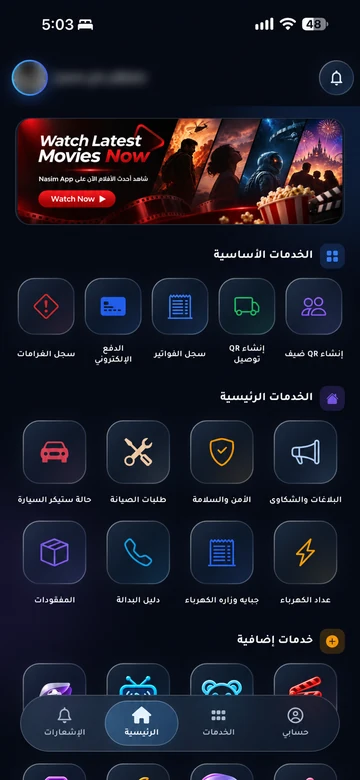
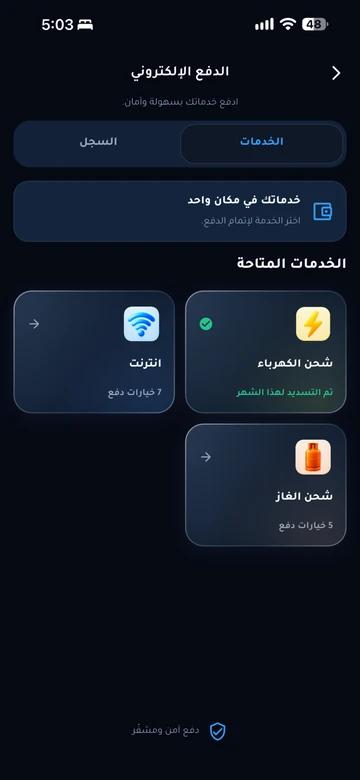
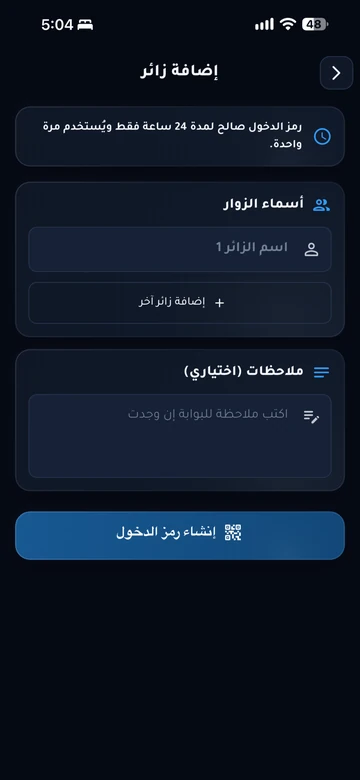
Start with your community’s app.

Choose the app for the community you live in, then sign in with the account approved by management to reach your services and requests.

Everyday life, in your community app.

EMLAK brings your enabled services together in an app with your community’s identity. Management determines the services and permissions available to your account.

Your everyday services

Maintenance, reports and everyday services, alongside sports, cinema, TV and kids activities, according to your community’s setup.
Your payments and records

Electricity, water, internet, maintenance and gas, with digital invoice copies for cash and online payments.

Your identity and invitations

Resident identity and QR invitations for visitors, school drivers and employees, within your community’s configured equipment and permissions.

The resident experience

  1. Know your community’s app

    The app carries your community’s identity and the services enabled by management. Services and accounts belong to each community.

  2. Use your approved account

    Community management coordinates your account and its connection to your unit. Contact them if you have no account or cannot sign in.

  3. Open a service and its history

    Choose maintenance, guests, bills, or another available service. Check request history to follow an earlier submission.

Can’t find your community?

Available services depend on the community and account configuration. Ask management which app to use, or send us your community name and the help you need so we can guide you to the appropriate channel.

Help finding your app

Following an existing request?

Maintenance, reports, invitations, and bills are connected to your in-app account. Check the service history first, then contact community management or the responsible provider. The public website does not display your account or confirm service completion.

Do not send passwords, verification codes, or card details through the contact form.

Questions before you begin

How do I get a resident account?
Community management verifies your relationship to the unit and coordinates account activation under its procedures. The app’s public information does not create a subscription or grant community access.
Why can’t I see internet or payment services?
The service may not be enabled for your community or account. Ask management about availability and the approved process; do not use another community’s app to access it.
Where can I find my previous reports?
Sign in to your community app and open reports or request history. If you cannot find the report, contact management through its approved support channel.
Is the contact form for urgent incidents?
No. For situations requiring a direct response within the community, use the security or emergency number published by management.

Your community.
Your app.

An experience with your community’s identity, bringing together the services enabled for your account. Management coordinates resident accounts and available permissions.

Everyday services

Maintenance, reports and entertainment, according to your community’s services.

Payments and invoices

Service payments and digital invoice copies in your account.

Identity and access

Resident identity and QR invitations within management permissions.

Resident services take place inside the app. Contact community management if you need an account or help signing in.

Explore the resident experience

Let’s talk about
your community.

Learn about EMLAK or arrange a management demonstration. Resident services take place inside the app.

Include the service and community. Do not send passwords or card details.
Loading verification…

Enter the six English letters or digits shown, or listen to them in English. Valid for five minutes.

We use these details to respond to your request. Read the privacy policy.

Receipt is confirmed after submission.

You can also email us directly: info@emlakiraq.com

Inside the EMLAK app.

Services screen in the EMLAK app

Actual screens from published app materials. Community management determines the available services.

Find your community app