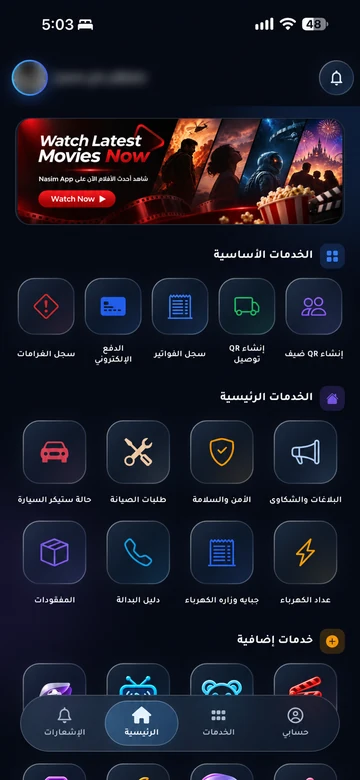
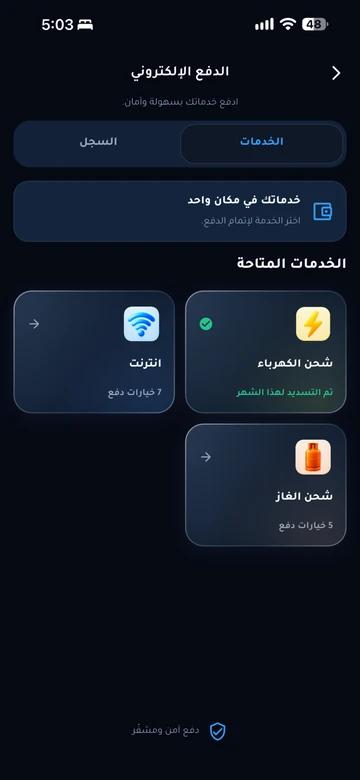
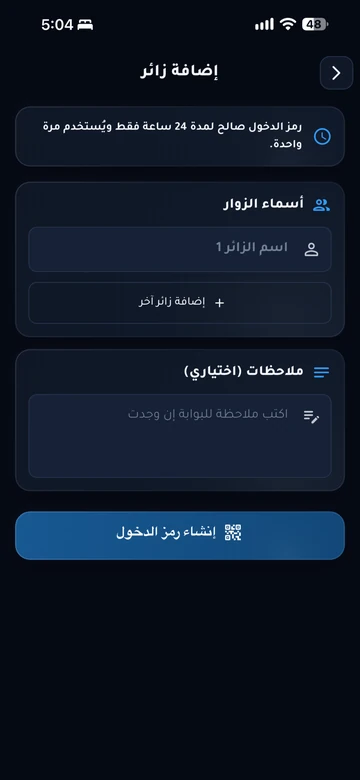
An app residents know by their community’s name.

Your community’s name, logo, and services in one resident experience, connected to EMLAK’s management tools.

A recognizable identity. Clear services.

The community’s name and logo

The resident app carries the community’s identity so residents can recognize the app intended for them.
The project’s enabled services

Workflows follow the available services, from maintenance and visitors to bills and requests, rather than assuming every community offers the same services.

Management connected to the experience

The app remains part of the operating system, connected to project information, management tools, and agreed permissions.

What we review before launch

  1. Define the identity and services

    Review the community’s name, logo, visual identity, and the services residents will use.

  2. Prepare the community experience

    Organize services, information, and access paths according to the project’s scope and available integrations.

  3. Introduce the app to residents

    Share official download links and account guidance through management’s approved channels.

Questions before you begin

Is branding limited to changing the name?
The offering includes a community name and logo and an experience built around agreed services. Visual details, functions, and integrations are reviewed in the project scope before implementation.
Does every resident get the same services?
Management determines the services and permissions linked to an account and unit. Options may differ by project, user role, or enabled service.
Where do residents get the app link?
Management distributes the official store link and account guidance. This website explains the app experience and its services; management provides the appropriate official channel for its residents.

Looking for your current community app?

Open the resident information page for account guidance and the appropriate support channel.

Your community.
Your app.

An experience with your community’s identity, bringing together the services enabled for your account. Management coordinates resident accounts and available permissions.

Everyday services

Maintenance, reports and entertainment, according to your community’s services.

Payments and invoices

Service payments and digital invoice copies in your account.

Identity and access

Resident identity and QR invitations within management permissions.

Resident services take place inside the app. Contact community management if you need an account or help signing in.

Explore the resident experience

Let’s talk about
your community.

Learn about EMLAK or arrange a management demonstration. Resident services take place inside the app.

Include the service and community. Do not send passwords or card details.
Loading verification…

Enter the six English letters or digits shown, or listen to them in English. Valid for five minutes.

We use these details to respond to your request. Read the privacy policy.

Receipt is confirmed after submission.

You can also email us directly: info@emlakiraq.com

Inside the EMLAK app.

Services screen in the EMLAK app

Actual screens from published app materials. Community management determines the available services.

Find your community app