Clear details. A payment journey you can follow.
We support online payments with Visa and Mastercard through our payment partner Switch.
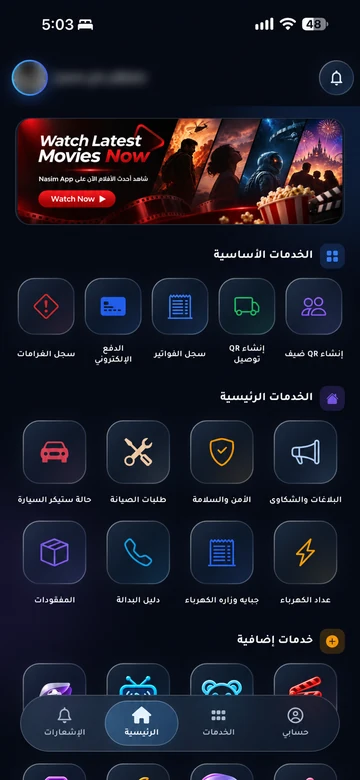
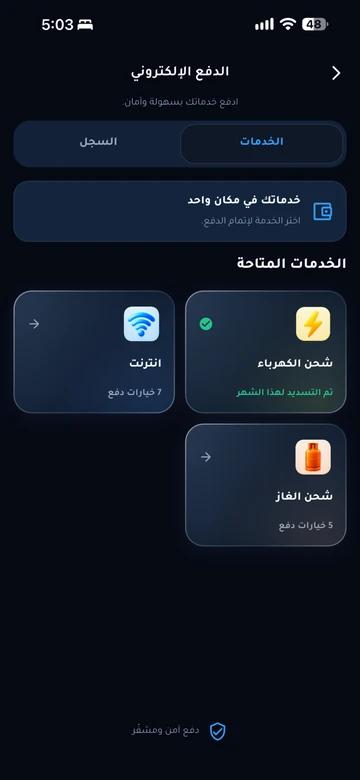
Start with your invoice in your community app
Open the service linked to your account, then review the amount, currency and beneficiary before continuing to the official payment interface. Payment is available for services enabled by your community or service provider.
Services include electricity, water, internet, maintenance, gas and more when a payment option is enabled in your account. Digital invoice copies for cash and online payments remain in the app history.



Visa and Mastercard are the supported payment networks. Switch is the payment partner; the transaction details identify its beneficiary.
Use the official channel linked to your service. Do not send your card number or verification code through the contact form or messages.
Review. Confirm. Keep your receipt.
The information you need before and after a payment.
Review the transaction
Check the service, account or unit reference, amount, currency, displayed fees and beneficiary. Read the policy linked to the transaction.
Confirm through the official channel
Complete the steps shown in the payment interface. Wait for a confirmed result; closing the screen or seeing a pending message does not mean the payment succeeded.
Check the record and receipt
Check the payment history in your service journey and keep the receipt or transaction confirmation and reference. If no receipt appears, contact the beneficiary before paying again.
Pending or unsuccessful payment?
Start by checking the transaction status and payment history. If money was deducted without confirmation, or you see a duplicate charge, provide the transaction reference, date and amount to the beneficiary through its official channel.
Do not immediately pay again. If the payment provider confirms the transaction failed and no amount was deducted, follow the official channel’s instructions before trying again.
Find the right support routeThe policy belongs to the beneficiary
The payment and refund policy published on this website under Jedar AL-Asema (جدار العاصمة) applies to its services and includes procedures at Building A16 in Al-Naseem. It is not a universal refund promise for every organisation using EMLAK.
Payment questions
From the beneficiary to the transaction status and applicable policy.
Which services can I pay for?
Who receives my payment?
Money was deducted but the payment is not complete. What should I do?
Does payment confirmation mean the service is complete?
How do I request a payment review or refund?
About the payment partner: Switch.