A clearer view of management’s work.

Tools for following requests, units, payments, and sales, according to the community’s enabled services and staff permissions.

From an overview to the record

Management needs to identify the request awaiting follow-up, the unit connected to it, or the payment needing review. EMLAK organizes workflows around those records rather than presenting figures without context.

Financial reporting and sales summaries are distinct from the issues-and-complaints service used by residents. Each tool is available to the relevant team according to permissions.

EMLAKIllustrative walkthrough

Units and sales

1Select a unitAvailability managed by the team
2Buyer recordDetails and agreement
3Payment scheduleUnder the approved contract

A service explanation, not account data or a live request status.

Illustrative workflow.

Areas of oversight

Requests and daily work

Follow maintenance and issues, direct requests to the responsible team, and refer back to details and updates.
Units and sales

Review unit states, sales and ownership-transfer records, and project information in the enabled tools.

Bills and payments

Review amounts due, recorded payments, overdue installments, and financial reports within team permissions.

Oversight that leads to an action

  1. Identify what needs attention

    Review requests, unit states, and amounts due in the sections available to your team.

  2. Open the connected record

    Refer to the request, unit, or payment details to understand its current state and recorded information.

  3. Coordinate the next step

    Direct work to the relevant team or follow up with the responsible party and record the update through the approved workflow.

Summaries reflect records in enabled systems. Data quality, updates, and viewing permissions are reviewed with management; this website does not assume live analytics for every service.

Questions before you begin

Can we demonstrate our workflow publicly?
A demonstration can use illustrative data to discuss your workflow. Do not send resident records or financial statements through the public contact form.
Does every employee see the same information?
Access follows team roles and approved permissions. Each department’s requirements are reviewed during setup.
Does this page display our actual dashboard?
No. This page explains the tools. Access your management system through the official channel approved for your project.

Your community.
Your app.

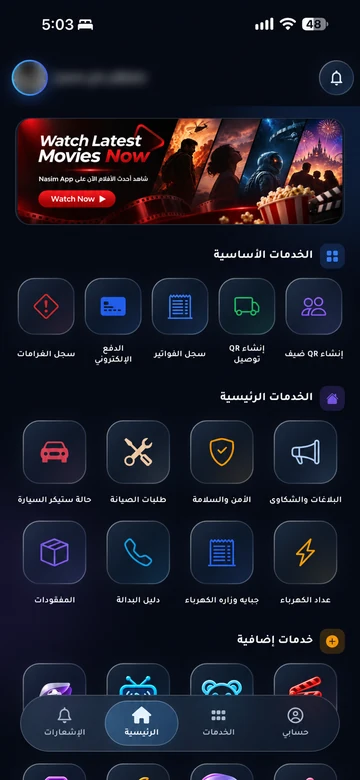
An experience with your community’s identity, bringing together the services enabled for your account. Management coordinates resident accounts and available permissions.

Everyday services

Maintenance, reports and entertainment, according to your community’s services.

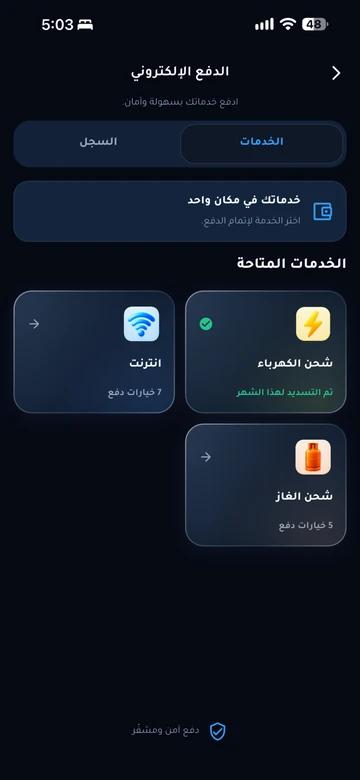
Payments and invoices

Service payments and digital invoice copies in your account.

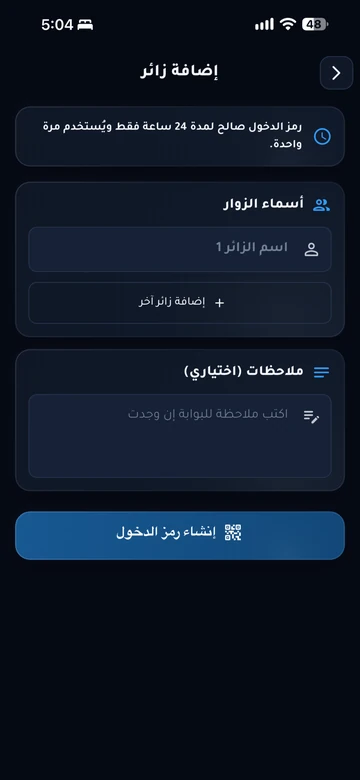
Identity and access

Resident identity and QR invitations within management permissions.

Resident services take place inside the app. Contact community management if you need an account or help signing in.

Explore the resident experience

Let’s talk about
your community.

Learn about EMLAK or arrange a management demonstration. Resident services take place inside the app.

Include the service and community. Do not send passwords or card details.
Loading verification…

Enter the six English letters or digits shown, or listen to them in English. Valid for five minutes.

We use these details to respond to your request. Read the privacy policy.

Receipt is confirmed after submission.

You can also email us directly: info@emlakiraq.com

Inside the EMLAK app.

Services screen in the EMLAK app

Actual screens from published app materials. Community management determines the available services.

Find your community app