Real estate sales and unit management

Organize unit sales from reservation through payments and handover. EMLAK connects unit, buyer, and financial records so sales and accounts teams can work from a shared reference.

EMLAKIllustrative walkthrough

Units and sales

1Select a unitAvailability managed by the team
2Buyer recordDetails and agreement
3Payment scheduleUnder the approved contract

A service explanation, not account data or a live request status.

Illustrative workflow.

The problem it addresses

When unit maps sit apart from sales and collections records, the correct status is difficult to establish. Connecting these details reduces the need to check separate files before helping a buyer.

Who is it for?

For property sales, accounts, and project-management teams, and buyers following unit payments.

How the workflow works

  1. Prepare project information

    Management organizes units, prices, statuses, and available project plans within the agreed setup.

  2. Record the sale and agreement

    The team follows reservations, buyer information, sale forms, and the unit’s payment schedule.

  3. Follow balances and changes

    Review payments, overdue amounts, ownership transfers, and construction updates using the tools enabled for your team.

What does EMLAK organize?

  • Manage unit availability, sale forms, and resale records.
  • Record payments and receipts and follow overdue installments.
  • Use interactive unit maps and 3D views for projects with prepared plans.

What depends on your community?

  • Maps require available project plans and preparation; a 3D model is not automatically generated for every project.
  • Contracts, pricing, staff permissions, and financial records remain subject to the operator’s procedures.

Questions before you begin

Does the system support resales?
The existing offering includes ownership-transfer records, ownership history, and payment records. The workflow is configured to the project’s procedures and agreed scope.
Are financial reports the same as resident issue reports?
No. Sales and payment reports support management within staff permissions. Resident issues and complaints have a separate workflow.
How can I see a setup relevant to my project?
Request a demonstration and describe the project, sales process, and payment schedule. The team can review tools and integration needs without you sending real customer records.

Discuss your project’s needs

Tell us about current workflows and equipment so we can review the right scope together.

Your community.
Your app.

An experience with your community’s identity, bringing together the services enabled for your account. Management coordinates resident accounts and available permissions.

Everyday services

Maintenance, reports and entertainment, according to your community’s services.

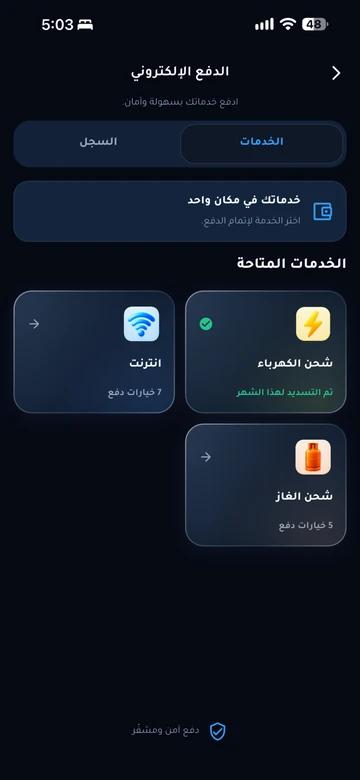
Payments and invoices

Service payments and digital invoice copies in your account.

Identity and access

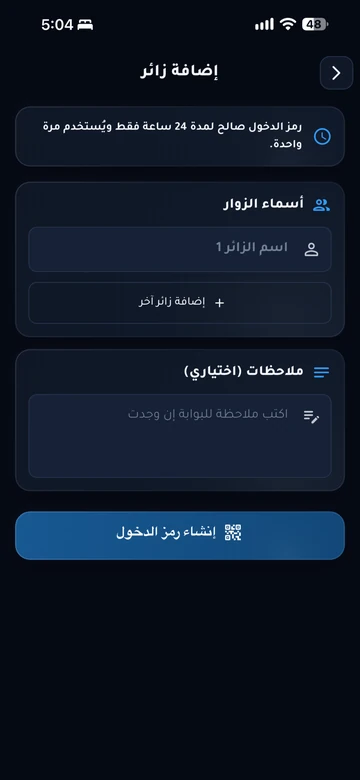
Resident identity and QR invitations within management permissions.

Resident services take place inside the app. Contact community management if you need an account or help signing in.

Explore the resident experience

Let’s talk about
your community.

Learn about EMLAK or arrange a management demonstration. Resident services take place inside the app.

Include the service and community. Do not send passwords or card details.
Loading verification…

Enter the six English letters or digits shown, or listen to them in English. Valid for five minutes.

We use these details to respond to your request. Read the privacy policy.

Receipt is confirmed after submission.

You can also email us directly: info@emlakiraq.com

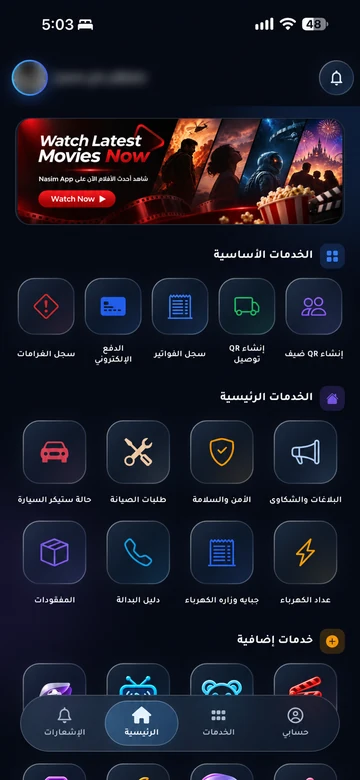
Inside the EMLAK app.

Services screen in the EMLAK app

Actual screens from published app materials. Community management determines the available services.

Find your community app